
What is ERP?
Understanding ERP
An ERP(Enterprise Resource Planning) is a software that help companies run and manage their core operations in one integrated system. It connects key business functions such as accounting, inventory, sales, purchasing, production, and human resources into a single platform.
By centralizing all business data and processes, ERP system allows companies to track activities in real time, reduce manual work, and improve overall efficiency. Instead of using multiple tools for different task, businesses can manage their entire workflow in a single place, ensuring data consistency, faster processes, and better decision-making across departments.

Types of ERP
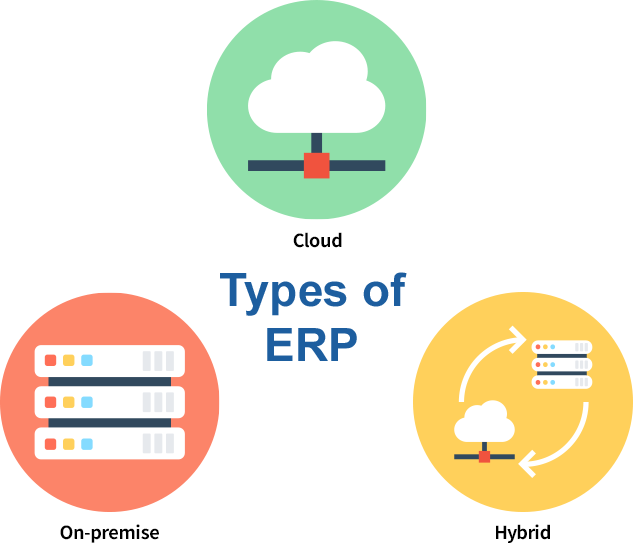
ERP systems come in different types depending on how they are deployed and what kind of business they are designed for. Choosing the right type of ERP is important, as it directly affects how easily the system can be implemented and used. Here are the main ERP types used today.
1. Cloud ERP
Cloud ERP is a web-based solution delivered through a Software-as-a-Service (SaaS) model. Since it is accessible via the internet, users can view and manage real-time data from anywhere. This type of ERP offers strong flexibility and scalability, allowing businesses to easily adjust as they grow. In addition, system updates, security, and maintenance are handled by the provider, making it a practical choice for companies with limited IT infrastructure.
2. On-Premise ERP
On-premise ERP is a system that is installed and managed on a company’s own servers and computers. Because all data and applications are stored internally, businesses have full control over security and system operations. This makes it a preferred option for larger organizations or those with strict data management requirements. However, it often involves higher initial costs and requires dedicated IT resources for maintenance.
3. Hybrid ERP
Hybrid ERP combines both on-premise and cloud-based systems. Businesses can choose to keep certain operations on local servers while running others in the cloud, depending on their needs. This approach provides flexibility in managing data and systems, while also allowing companies to gradually adopt cloud technology without fully replacing their existing infrastructure. However, managing both environments at the same time can be more complex.
How ERP is Used Across Different Industries
ERP systems are used across a wide range of industries, but the way they are applied can vary depending on business needs. Despite these differences, the main goal remains the same: to improve efficiency, maintain accurate data, and streamline operations. Below are some common examples of how ERP systems are used in different industries.
1. Manufacturing Industry
In manufacturing, ERP systems are used to plan production, manage raw materials, and track inventory throughout the entire process.
By connecting production, inventory, and purchasing data, businesses can reduce delays, data errors, control costs, and maintain consistent product quality.
2. Retail Industry
Retail businesses use ERP to manage multiple sales channels in one system. It helps track inventory, process orders, and manage customer data in an integrated way.Because all data is updated in real-time, businesses can instantly check stock levels, monitor sales activity, and respond quickly to customer demand. This helps improve order accuracy, reduce stock issues, and enhance the overall customer experience.
3. Service-Based Businesses
Service companies, such as consulting, accounting, or IT services use ERP to manage projects, track resources, and monitor performance.
This allows businesses to stay on schedule, manage costs more effectively, and deliver services more efficiently.
4. Wholesale industry
Wholesalers and distributors rely on ERP to manage inventory, logistics, and order status.
The system helps track goods movement and automate order processing.
This leads to faster delivery, lower operational costs, and improved supply chain efficiency.
5. Construction Industry
In construction field, ERP systems are used to manage project timelines, budgets, and resources across multiple sites.
By having all project data in one place, businesses can reduce delays, control costs, and improve coordination between teams.

What are the Main Functions of an ERP System?
ERP systems are built to support different areas of a business through integrated features. Each function is designed to streamline daily operations, reduce manual work, and provide better visibility across departments. Below are the main functions that most ERP systems offer to help businesses run more efficiently.
1. Inventory Management
ERP systems provide real-time visibility into stock levels, incoming and outgoing goods. Every inventory movement is automatically recorded and updated across the system. Because all inventory data is updated in real time and shared across departments, businesses can avoid overstocking or running out of stock. This leads to better planning, reduced storage costs, and improved order fulfillment.
2. Sales and Purchasing Management
This feature manages the entire order lifecycle, from creating purchase orders to processing sales and even generating invoices. All transactions are recorded in real time within a centralized system. Since purchasing and sales data are integrated, businesses can reduce manual data entry and minimize errors. It also allows teams to respond faster to orders and maintain better relationships with suppliers and customers.
3. Production Management
Production management in ERP systems allows businesses to plan, schedule, and monitor their manufacturing processes more efficiently. It helps align production activities with demand, manage work orders, and track both work-in-progress and finished goods in real time. Because production data is continuously updated and shared across the system, businesses can identify issues early, reduce delays, and use resources more effectively, resulting in smoother operations and on-time delivery.
4. Accounting and Finance Management
Accounting and finance management is one of the key features of an ERP system. It helps businesses manage important financial data, such as income, expenses, and payments in one place.
Instead of using separate systems, financial data from sales and purchasing can be recorded and organized together in the ERP system. This makes it easier to check financial status, reduce errors, and understand how the business is performing.
5. Human Resources Management
ERP systems store and manage employee information, including attendance, payroll and workforce planning. HR processes can be automated, reducing repetitive administrative work. By keeping all employee data in one system, businesses can improve accuracy, ensure compliance, and manage their workforce more efficiently.

Why Businesses choose ECOUNT ERP?
Choosing the right ERP system is essential for improving efficiency and supporting business growth.
ECOUNT ERP is designed to provide a practical and reliable solution that meets the needs of businesses across various industries.
1. All-in-One System
ECOUNT ERP brings key business functions together into a single platform, such as inventory, production, accounting, HR, and more.
By managing all operations in one system, businesses can reduce data duplication, minimize errors, and improve overall workflow efficiency. Businesses can choose the features they need, and flexible customization is available, making it suitable for businesses across various industries.
2. Real-Time Reports
ECOUNT ERP allows businesses to create reports in the format they need and view updated data in real time.
Instead of waiting for reports to be manually prepared, users can instantly check important information such as sales, expenses, and performance.
With flexible report formats and real-time data, businesses can quickly understand their current situation, identify issues early, and make faster decisions without delay.
3. Access Anytime, Anywhere
As a cloud-based ERP solution, ECOUNT can be accessed anytime, anywhere through an internet connection.
Users can easily enter and check data in real time without being tied to a specific location or device.
This allows businesses to manage work smoothly from the office, on-site, or while traveling, ensuring continuous operations without interruption.
4. Cost-Effective
ECOUNT ERP offers a complete set of features for RM 200 per month.
With no additional fees for updates or support, it remains an affordable and predictable option for businesses of all sizes.
With a low upfront cost, businesses can start using an ERP system without heavy financial burden.
This allows companies to improve their operations early and reduce the risk of investing in complex and expensive systems.
5. Continuous Updates and Reliable Customer Support
ECOUNT ERP is continuously updated to improve features, without any extra cost.
Users can benefit from improvements without needing to install or manage updates themselves.
In addition, customer support helps resolve issues quickly, so businesses can keep their operations running smoothly without delays or disruptions.
